Overview
This feature gives you more control over how checklist results affect the final inspection grade.
Instead of relying only on the total number of failed checklist answers, you can define grade rules for specific questions, so that critical checks have a stronger and more precise impact on the final result.
When to Use This Feature
Use question-level grading when certain checklist items are critical and should have a stronger impact on the final grade, for example:
Food safety confirmations
Packaging compliance checks
Mandatory handling or sanitation requirements
How to Configure Question-Level Grades
Go to Specs
Open Standards
Select the relevant standard
Navigate to the Checklist tab
Click Edit on the checklist grading row
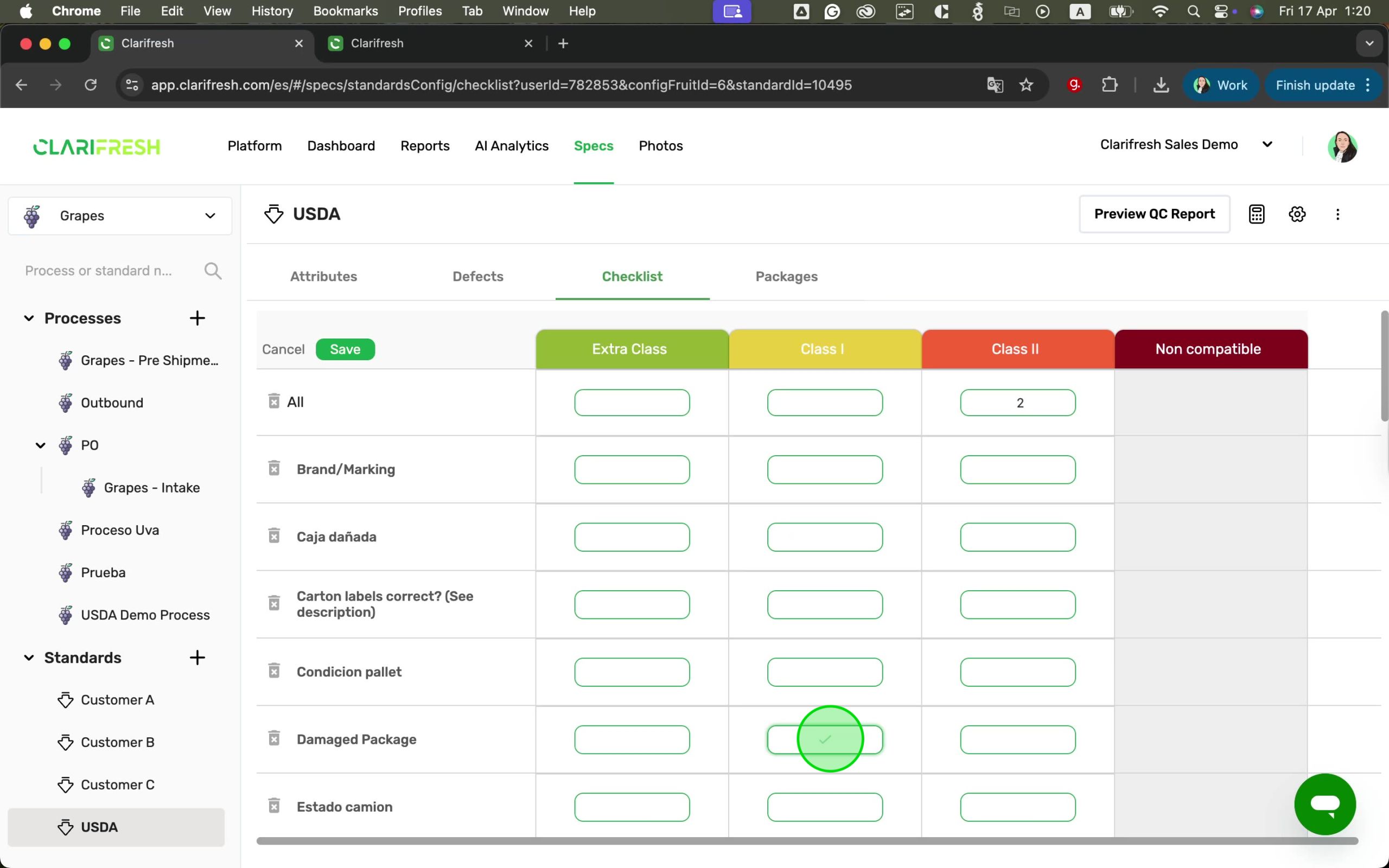
Configure the “All” row (if not already set)
Review the checklist questions listed below
For each question you want to control:
Place the ✓ marker in the grade column that represents a True result
Click Save
How It Works
Each checklist question can influence the final inspection grade based on its result:
You can place the ✓ marker in only one grade column per question
The last grade acts as a fallback and cannot be edited
A question affects the grade only when the answer is False
If the answer is True, it will not downgrade the inspection
The “All” checklist rule still applies and works alongside question-level rules
Example
If your grades are A, B, and C:
Placing ✓ under A means:
True → the question keeps grade A
False → The question set the grade to B
Placing ✓ under B means:
True → the question keeps grade A
False → The question set the grade to C
Where to See the Results
QC Report
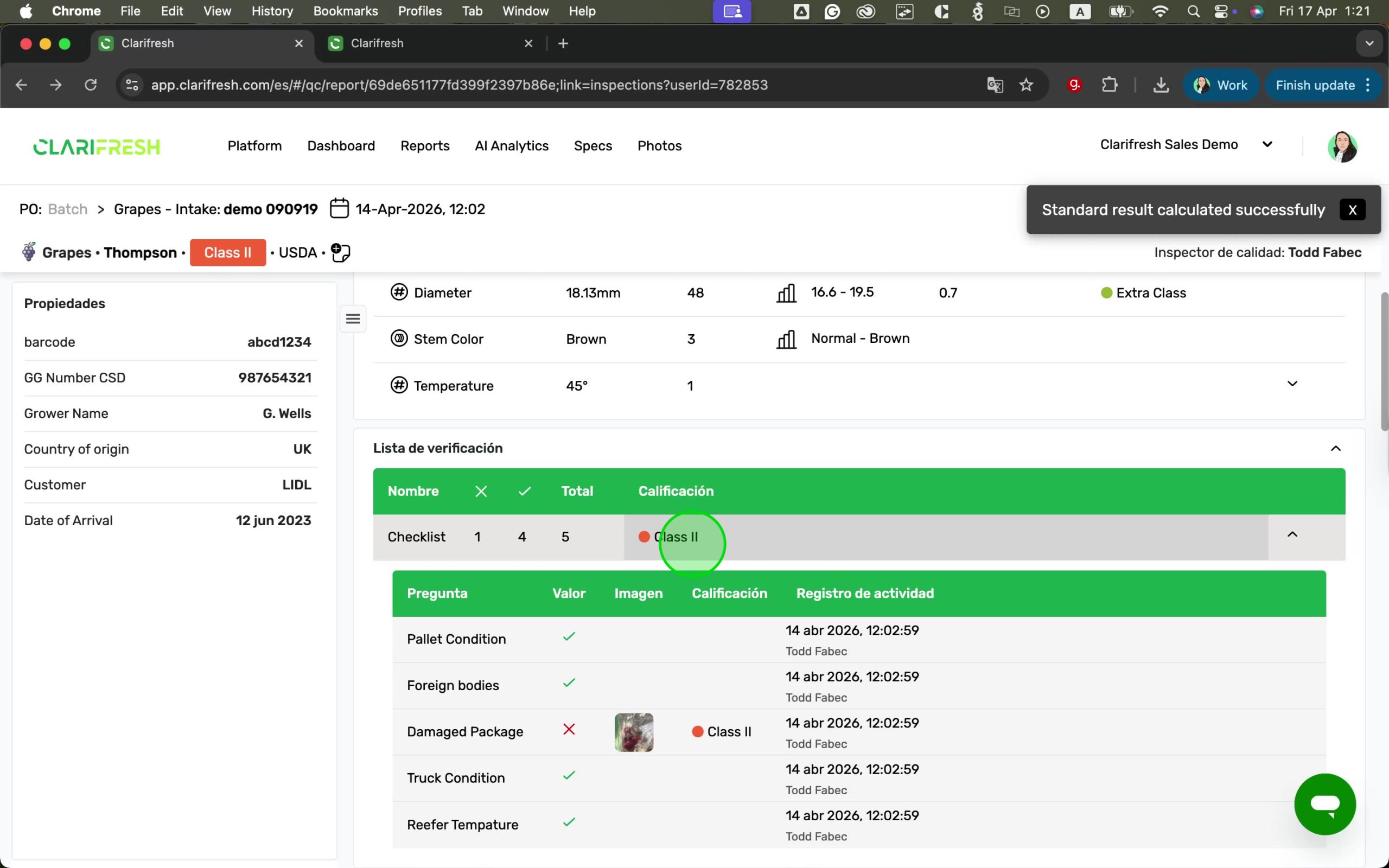
In the Checklist section of the QC Report:
The top row shows the overall checklist grade
Expanding the section displays each checklist question
Each question includes a Grade column
The Grade column appears between Image and Activity Log
Summary Reports
When checklist columns are included in Summary Reports:
The checklist icon shows the result (True/False)
The related grade appears below the value
Who Can Use This
This feature is available to users with Manager permissions, who can edit Specs and Standards.
Limitations
This release does not include:
Checklist aggregation support for question-level grading
Updates to the checklist simulation in the Standards Simulation flow